








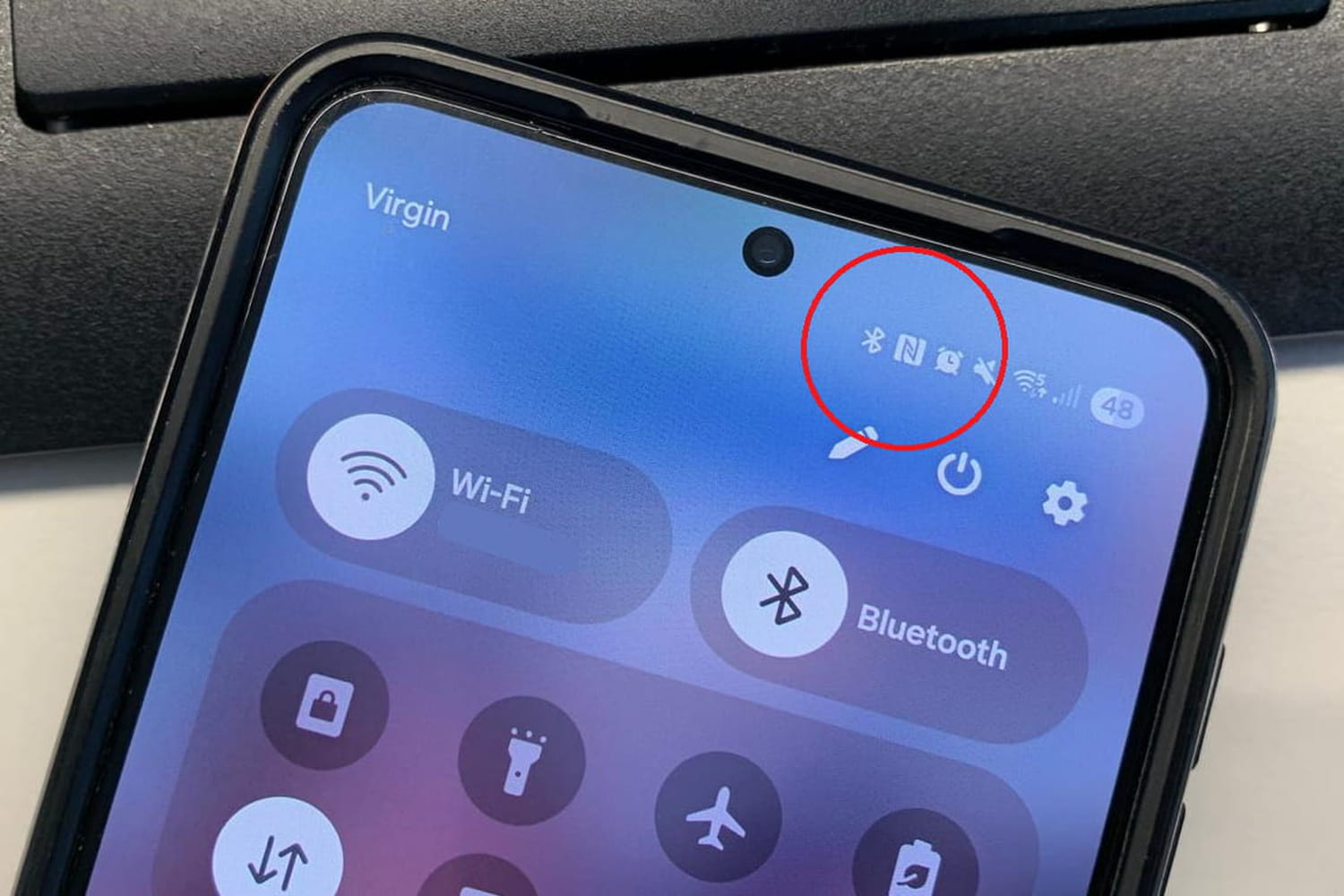
It sometimes appears without warning at the top of the screen, then disappears depending on the model. This little letter “N” intrigues a lot of smartphone users, to the point of triggering thousands of searches on the internet.
We all know that moment when we look at our phone and a new symbol appears without really knowing why. A star, a drop, a padlock, a moon… Smartphones love to communicate with little icons that we often end up ignoring. Except that the famous “N” immediately catches the eye. Firstly because it is very visible, then because it looks more like an error than a useful function. Many then think of a strange update, of an application installed automatically… when other users will not even have noticed it.
On specialized forums, questions come up constantly. “Why do I have an N at the top of my phone?”, “How do I remove it?”, “What is it for?”. But this symbol does not apply to all smartphones. In reality, it is mainly found on Android devices. Moreover, Samsung, Xiaomi, Oppo, Sony, Google and Honor models do not all display this icon in the same way. With some manufacturers, the letter remains permanently visible in the notifications bar. In others, it only appears when opening quick shortcuts. And on some recent models, it has completely disappeared while the function continues to run quietly in the background.
iPhone users are often a little lost when they come across this “N” story, simply because Apple does not show this symbol on the screen. However, iPhones have also used exactly the same technology for several years. The difference is that Apple prefers to manage this discreetly without displaying a permanent icon in the top bar. Result: many Android users discover this function via this famous “N”, while iPhone owners have sometimes used it for a long time without even knowing that it exists.
The meaning of this famous letter “N” is actually very simple: it indicates that NFC technology is activated on the smartphone. NFC, for “Near Field Communication”, allows the phone to communicate with nearby devices, validate certain transport tickets or even make contactless payments. Like Bluetooth or Wi-Fi, it is part of the wireless connections integrated into almost all current phones. Clearly, the smartphone must be placed a few centimeters from another compatible device for the connection to take place.
Contrary to certain ideas still circulating on social networks, it is impossible to trigger a sensitive operation simply by bringing a device close to the phone. To validate an important action, almost always additional authentication with a code, fingerprint or facial recognition is required. And if this icon really annoys you, it is still possible to make it disappear by deactivating the function from the Android settings. The option is usually found in menus related to connections or connected devices.